Free for 1 connection · macOS

The Mac client built
only for PostgreSQL.

Query stats, index health, cache analysis, and live ER diagrams — deep PostgreSQL tooling in a native Mac app, not an afterthought in a generic client.
Download Free Buy — $49
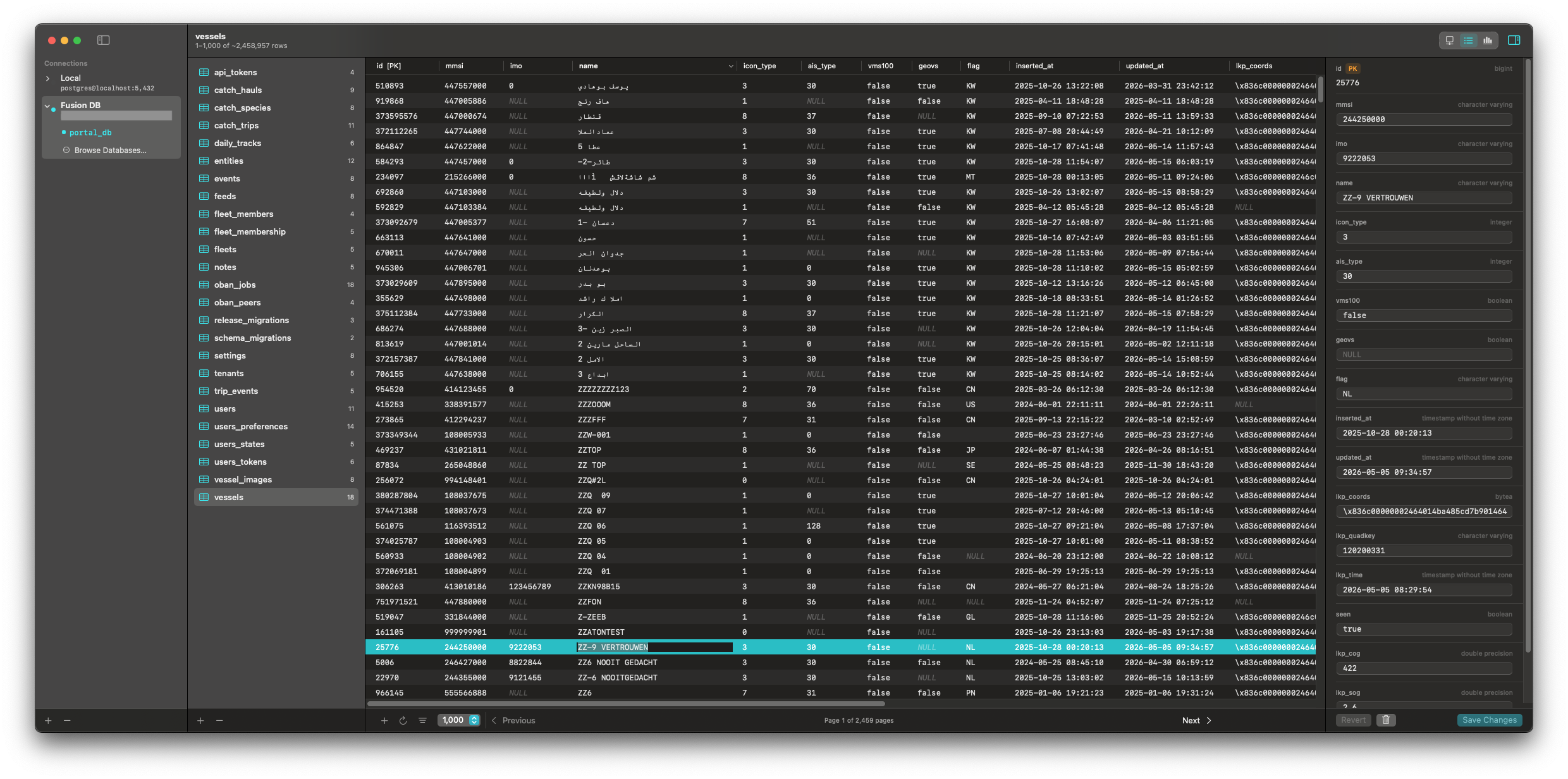
FathomSQL showing a large table with the row editor open

Query Stats

Know which queries are costing you

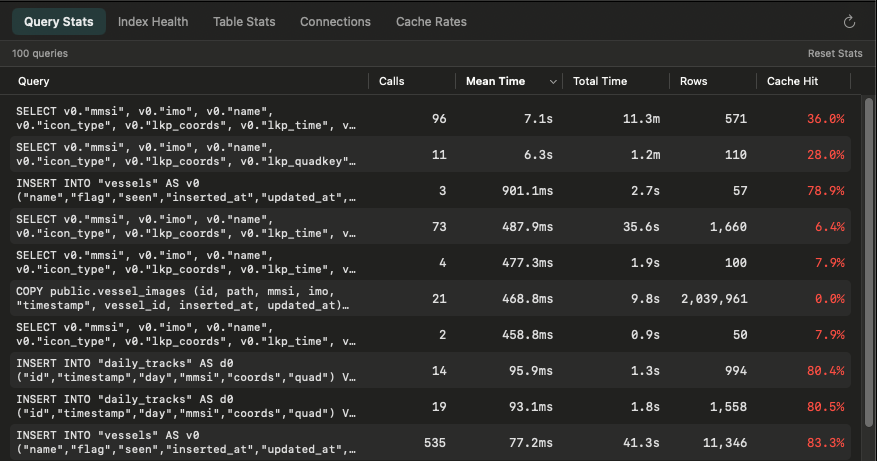
Powered by pg_stat_statements — call counts, mean time, total time, and cache hit rate, ranked worst first. FathomSQL detects whether the extension is installed and installs it with one click when the server supports it.

FathomSQL query stats view

Index Health

Find indexes nobody uses

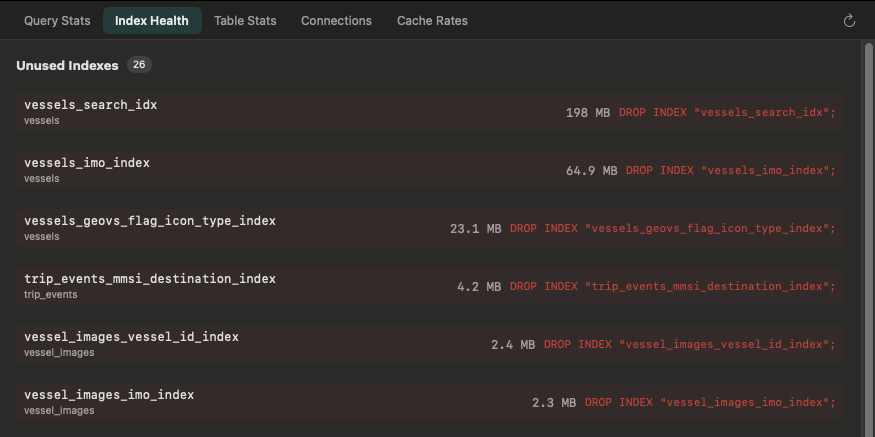
Unused indexes slow down every write. FathomSQL surfaces indexes with zero scans since the last stats reset, their size on disk, and a ready-to-run DROP INDEX command.

FathomSQL index health listing unused indexes

Cache Rates

See which tables are hitting disk

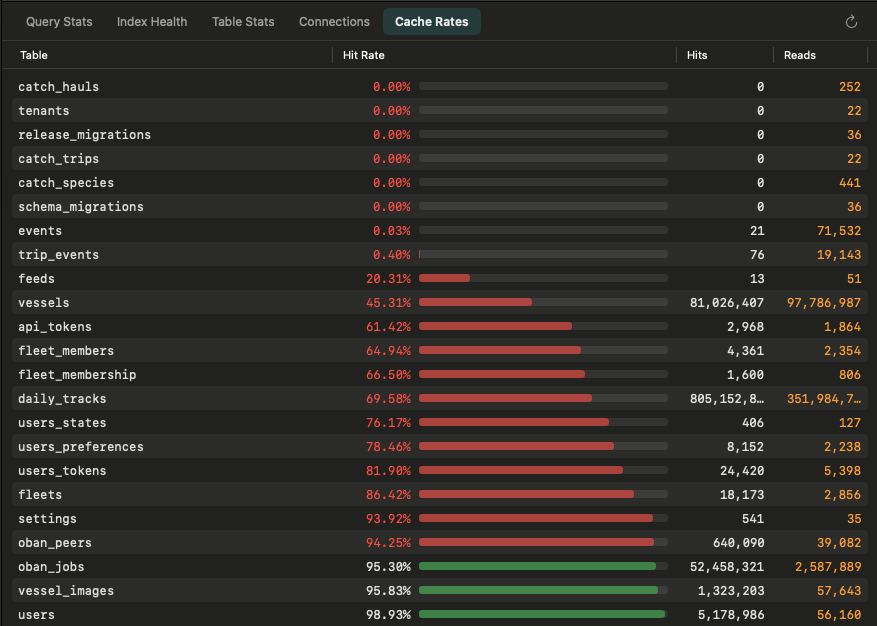
Per-table shared buffer hit rates from pg_statio_user_tables. Spot which tables are forcing disk reads and whether your shared_buffers needs tuning.

FathomSQL cache rates per table

Table Stats

Dead rows and bloat at a glance

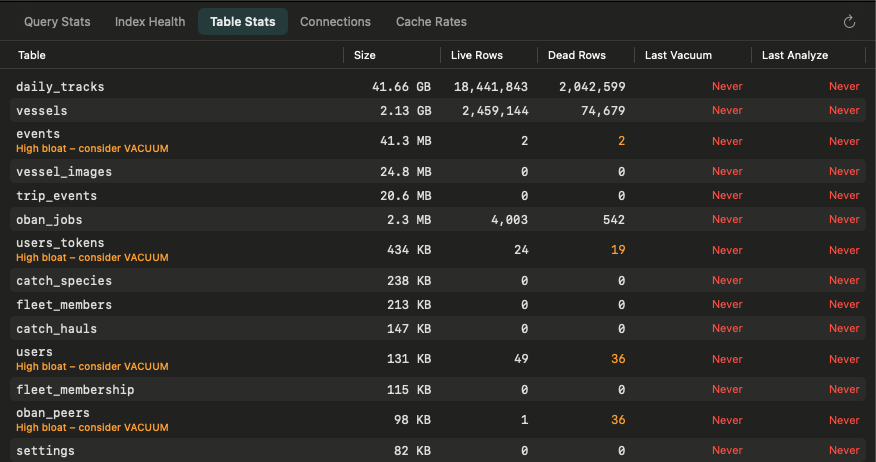
Table sizes, live and dead row counts, and last vacuum and analyze times in one view. Bloated tables are flagged — no manual cross-referencing of system catalogs required.

FathomSQL table stats with bloat warnings

ER Diagrams

See your schema as it actually is

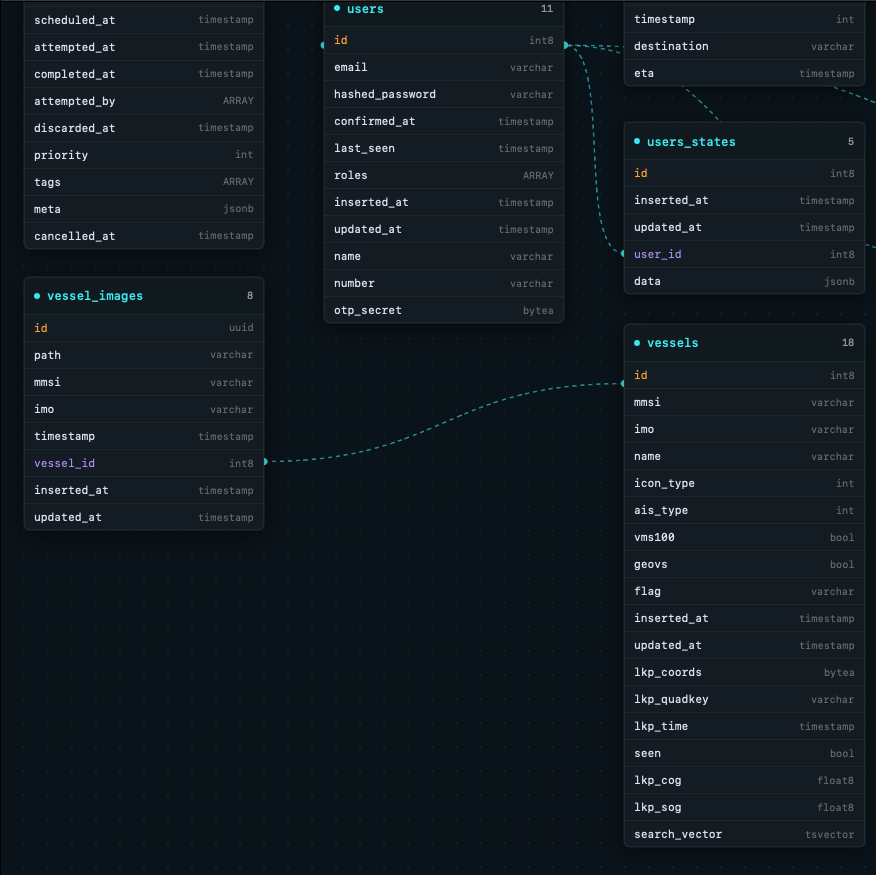
Live diagrams generated from schema introspection. Foreign key relationships rendered automatically — always accurate, never a stale export to maintain.

FathomSQL ER diagram showing table relationships

Table Browser

Filter any table without writing SQL

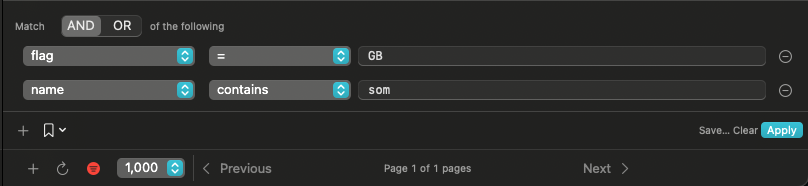
Define AND/OR filter conditions using a structured builder. Select a row to edit every field in a side panel, with explicit Save and Revert controls.

FathomSQL filter builder with AND/OR conditions
Features

Everything PostgreSQL needs.
Nothing it doesn't.

Every feature exists because it solves a real PostgreSQL problem — not because a competitor has it or a checkbox needed ticking.

Query Statistics

Deep integration with pg_stat_statements. Call counts, mean time, total time, and cache hit rate — ranked by slowest first. Auto-installs the extension if needed.

Index Health

Surfaces indexes with zero scans since the last stats reset, along with their size and a ready-to-run DROP INDEX command. Stop paying the write overhead for indexes nobody uses.

Cache Rate Analysis

Per-table shared buffer hit rates from pg_statio_user_tables. See which tables are forcing disk reads and whether your shared_buffers needs tuning.

ER Diagrams

Auto-generated from live schema introspection. Foreign keys rendered as connections between table cards. Always accurate, never a stale export to keep in sync.

Table Browser

Browse, filter, and sort rows with full PostgreSQL type awareness. Add and delete rows inline. Schema changes appear immediately — no refresh required.

Active Connections

Live view of pg_stat_activity. See every session, its current query, and how long it has been running. Cancel or terminate any connection with one click.

PostgreSQL-First

What generic clients
don't have.

Most clients support twenty databases. That means twenty database teams and a long list of lowest-common-denominator features. FathomSQL supports one — so it can go deep.

Capability FathomSQL Others
pg_stat_statements dashboard
Index health analysis
Cache hit ratio per table
Live ER diagram from schema
Active connection management Some
Native Mac app Some
One-time purchase, no subscription Mixed

Detailed comparisons: vs TablePlus · vs Postico · vs pgAdmin

Pricing

Start free.
Upgrade when you need more.

One connection is free, forever — all features included.
Buy once to unlock unlimited connections.

Free
$0
One connection, no credit card
  • 1 database connection
  • All performance features
  • ER diagrams & table browser
  • No time limit
Download Free
macOS 14.4+ PostgreSQL 12+
FAQ

Questions

Does FathomSQL support databases other than PostgreSQL?
Not yet. FathomSQL is intentionally PostgreSQL-only. Supporting more databases means compromising the depth of PostgreSQL-specific tooling. We plan to stay focused on PostgreSQL for the foreseeable future.
Does pg_stat_statements need to be installed on my server?
FathomSQL will detect whether the extension is installed and offer to create it if the server has the library available (most managed PostgreSQL providers include it). If the server requires configuration changes first, FathomSQL walks you through the steps.
Do I need a PostgreSQL superuser account?
No. Most features work with a regular database user. Some performance views (like seeing query text for other users' sessions) require the pg_read_all_stats role. FathomSQL will tell you when elevated permissions are needed and why.
What does the free tier include?
Everything — one connection with full access to all features. Query stats, index health, cache rates, ER diagrams, table browser. No time limit, no credit card. The only thing the free tier doesn't include is adding a second connection.
Is there a refund policy?
Yes. If you purchase and aren't satisfied within 30 days, email [email protected] for a full refund — no questions asked.
Does FathomSQL work with managed PostgreSQL (RDS, Supabase, Neon, etc.)?
Yes. FathomSQL connects to any PostgreSQL instance reachable over TCP — local, remote, via SSH tunnel, or over a VPN like Tailscale. Managed providers are fully supported.